How to Get Notified When Your Favorite Model Goes Live on Chaturbate
In the fast-paced world of live adult entertainment, timing is everything. Whether you're a dedicated fan of a particular Chaturbate cam girl or enjoy discovering new performers, missing a live show can be disappointing. The good news is that there are multiple reliable ways to stay informed the moment your favorite models start streaming.
This comprehensive guide will walk you through everything you need to know about setting up notifications for Chaturbate models. We'll cover the platform's native features, third-party tools, and how a dedicated tracking service like ModelTrackr can transform the way you follow cam girls. By the end, you'll have actionable strategies to ensure you never miss another exciting live session.
Why Notifications Matter for Chaturbate Fans
Chaturbate is one of the most popular platforms for live webcam shows, hosting thousands of models at any given time. With so much content available, it's easy to lose track of when specific performers go live. Models often have irregular schedules influenced by time zones, personal commitments, or peak viewing hours.
Receiving timely notifications helps you:
- Join shows from the beginning for the best experience
- Participate in interactive elements like tip goals and games
- Build stronger connections with your favorite cam models
- Manage your viewing time more effectively
Without proper alerts, fans often resort to constantly refreshing pages or checking social media, which can be inefficient. Modern tools solve this problem elegantly, delivering notifications directly to your email, browser, or mobile device.
Discover trending cam models to find new favorites worth tracking.
Using Chaturbate's Built-in Follow and Notification System
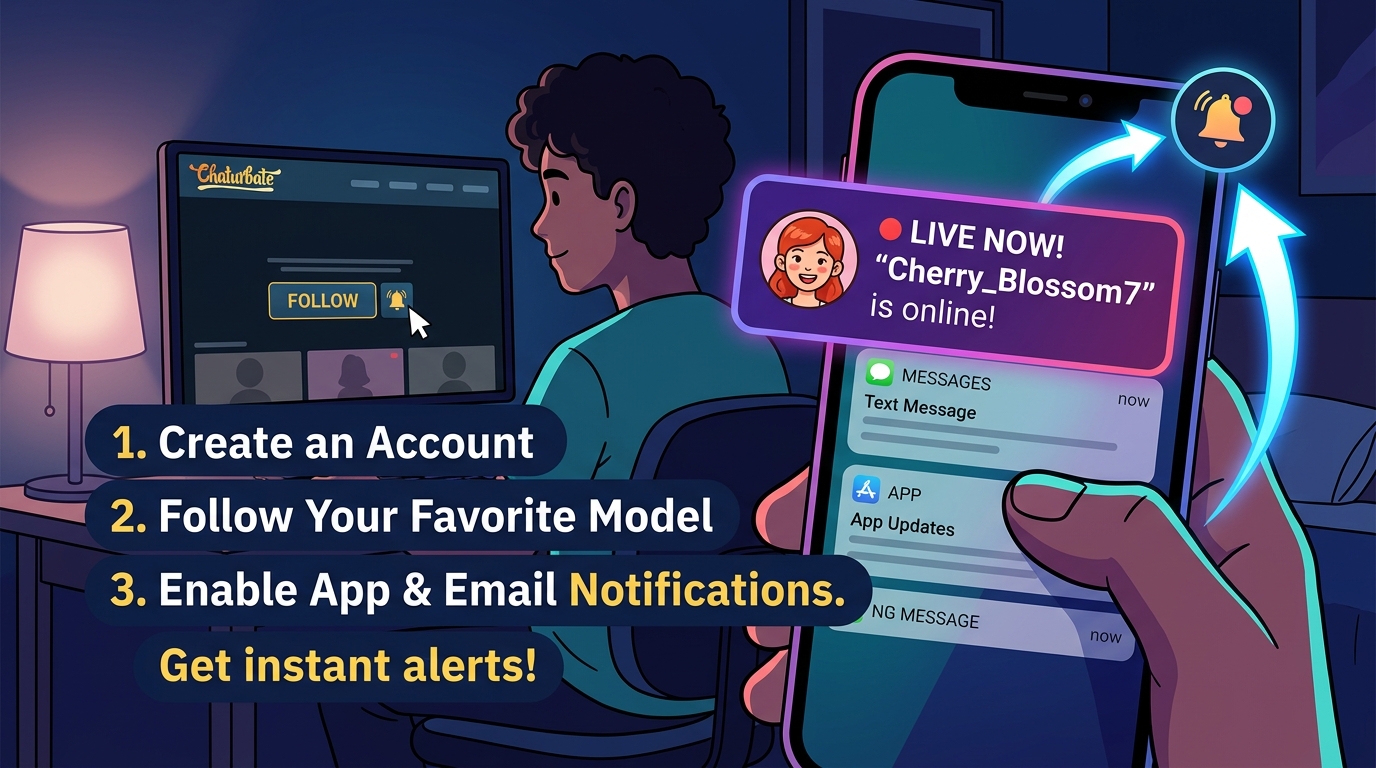
Chaturbate offers a straightforward follower system that includes notification options. Here's how to set it up effectively.
Step-by-Step Guide to Following Models
-
Create or log into your Chaturbate account – Notifications are tied to your profile.
-
Visit a model's profile or room – You can follow models whether they are currently online or offline.
-
Click the Follow button – This is typically an orange heart or "Follow" icon. Once followed, models appear in your dedicated "Following" tab.
When you follow a model, Chaturbate may prompt you to choose notification preferences:
- Email notifications: Receive messages when the model goes live (requires a verified email address).
- Browser notifications: Get instant pop-up alerts while browsing the site.
- No notifications: Follow without alerts.
Fine-Tuning Per-Model Notifications
For greater control, especially on desktop:
- Navigate to the model's room.
- Look for the bell icon next to the "Unfollow" button.
- Choose from:
- Always: Get notified every time the model announces they're online.
- Auto: Follow your default account settings.
- Never: Disable alerts for this specific performer.
You can adjust default settings by going to your profile > Settings & Privacy. Look for the option "Email me when someone I follow comes online" and set it to "Yes".
Important limitation: Chaturbate notifications typically only trigger when a model actively clicks "Announce I am online." If they start streaming without this announcement, you might not receive an alert. This makes native notifications somewhat unreliable for some users.
On mobile devices, options are more limited. You may need to request the desktop site in your browser to access the full bell icon controls.
Advanced Notification Methods and Third-Party Tools
Many fans supplement Chaturbate's system with external services for more reliable and feature-rich alerts.
Services like Chaturfier allow you to create custom alerts delivered via email, Telegram, or push notifications. These tools monitor models continuously and can notify you even when the performer doesn't use Chaturbate's announcement feature.
Browser extensions and dedicated cam notifier websites also exist, offering RSS feeds or multi-platform support (including other cam sites).
However, managing multiple tools can become cumbersome when tracking several favorite models. This is where specialized platforms shine.
Use ModelTrackr to track your favorites and centralize all your notifications in one convenient dashboard.
How ModelTrackr Makes Notifications Smarter and Easier
ModelTrackr is a powerful Chaturbate model tracking platform designed specifically to help fans stay connected with their favorite performers. Unlike basic follow buttons, it provides a comprehensive suite of tools for monitoring, predicting, and getting alerted about live streams.
Key Features for Notifications
- Real-time status tracking: See instantly which of your tracked models are online.
- Priority notifications: Tracked models receive special alert priority with in-app notifications, thumbnail pop-ups, and browser push alerts (available on paid plans).
- Notification bell: A convenient header indicator showing unread alerts.
- Custom tracking lists: Add models by username even when they're offline.
The platform pulls data directly from Chaturbate's public information, offering a clean interface that displays online/offline status prominently on your personalized dashboard.
AI-Powered Schedule Predictions
One of ModelTrackr's standout features is its AI schedule predictions. By analyzing historical streaming data, the system can forecast when a model is likely to go live next, complete with confidence scores. This proactive approach helps you plan your schedule around expected show times rather than reacting to last-minute notifications.
Visual Calendar and Analytics
Beyond simple alerts, ModelTrackr includes:
- A streaming calendar showing patterns in days and times.
- Historical viewing data and watch timers.
- Heatmaps of peak activity.
These insights help you understand your favorite cam girls' routines and catch them more consistently.
To get started, simply sign up for ModelTrackr and begin adding your preferred performers. Free accounts offer generous tracking limits, while premium plans unlock unlimited tracking, advanced notifications, and additional tools like the Multi-Cam Viewer.
Try the AI-powered For You recommendations to expand your list of favorites based on your current tracking habits.
Setting Up Effective Notification Strategies
Creating Your Master List of Favorites
Start by identifying 5-10 core models you want to follow closely. Use ModelTrackr's search or the Discover page to find performers by tags, popularity, or categories.
Organize them into custom collections for different moods or times of day. For example, you might have separate lists for evening performers, weekend specialists, or specific niches.
Optimizing Your Notification Channels
- Browser push notifications: Fastest delivery but requires keeping your browser open or using a service that supports background alerts.
- Email: Good for permanent records but can be delayed or filtered as spam.
- Mobile apps and Telegram: Ideal for on-the-go viewing with instant mobile alerts.
- In-app alerts: ModelTrackr's dashboard provides visual cues even without enabling system notifications.
Test different channels to see what works best for your lifestyle. Many users combine browser notifications with email as backup.
Managing Notification Overload
If you follow many models, notifications can become overwhelming. Strategies to stay in control include:
- Using per-model notification levels (Always/Auto/Never).
- Setting quiet hours in your notification settings.
- Focusing on tracked models in ModelTrackr for priority alerts only.
- Creating themed collections and checking them on your own schedule.
The Analytics Dashboard can help you review which models you actually watch most, allowing you to refine your notification list over time.
Additional Tips for Dedicated Fans
Following Models on Social Media
Many Chaturbate performers maintain active profiles on Twitter (X), Instagram, or other platforms. Enable post notifications there as a supplement to live alerts. Models often announce upcoming streams or share schedule updates.
Using the Streaming Calendar
ModelTrackr's calendar feature analyzes past performance to highlight likely streaming windows. Combine this with AI predictions for even better accuracy.
Check the streaming Calendar to plan your week around your favorite performers.
Exploring Hidden Gems
While tracking your established favorites, don't forget to discover new talent. ModelTrackr's Hidden Gems section highlights underrated performers who might become your next obsession.
Multi-Platform Considerations
If your interests extend beyond Chaturbate, look for tools that support multiple cam networks. While ModelTrackr specializes in Chaturbate, its principles of organized tracking and smart notifications apply across the adult entertainment landscape.
Privacy and Account Best Practices
- Use a dedicated email for cam site notifications to keep your inbox organized.
- Regularly review your followed models list and clean up as preferences change.
- Be mindful of time zone differences when setting up alerts.
- Consider premium features if you track many performers or want advanced analytics.
Common Problems and Solutions
Notifications not arriving: Check your account settings, ensure you've allowed browser permissions, and verify the model is using the announcement feature. Try ModelTrackr for more consistent monitoring.
Too many emails: Switch to browser notifications or use a service with better filtering like ModelTrackr's in-app system.
Missing shows despite following: Remember that native Chaturbate alerts depend on the model's actions. Dedicated trackers monitor status more reliably.
Mobile limitations: Use desktop site mode on your phone to access full notification controls.
Conclusion: Take Control of Your Viewing Experience
Getting notified when your favorite model goes live no longer requires constant manual checking. By combining Chaturbate's native follow system with smarter tools like ModelTrackr, you can create a seamless notification workflow tailored to your habits.
Whether you prefer simple browser alerts or the full power of AI predictions and detailed analytics, the technology exists to keep you connected with the performers you love. Start by following a few key models on Chaturbate, then enhance your experience with a dedicated tracking platform.
Ready to never miss another show? Sign up for ModelTrackr today and transform how you experience live cam entertainment. With real-time notifications, schedule predictions, and powerful discovery tools, you'll always know exactly when your favorite Chaturbate cam models are online.
The world of adult webcam performances is vast and exciting. With the right notification strategy, you can enjoy it on your own terms—catching every special moment without the frustration of missed opportunities.
Happy viewing, and may your favorite models always be just one click away when they go live!
(Word count: 1872)